Bem Vindo! | Welcome!
By Felipe Lamounier, Minas Gerais, Brasil🇧🇷 – powered by 🙂My Easy B.I.
📑 Table of Contents:
Introduction
In this post, we will learn how to identify which transports were deleted in SAP ECC. We will also see how this data is removed from the VTTK table over a specific period.
In this example, the transport number 0012734473 was removed from the system and consequently deleted from the VTTK table (Shipment Header).
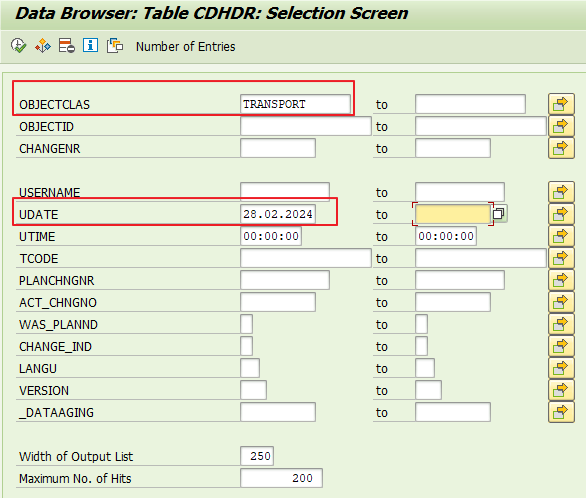
Table: CDHDR – Change document header
Anúncios
Table CDPOS – Change document items:
OBJECTCLAS = TRANSPORT
OBJECTID = <Shipment Number>
TABNAME = VTTK
FNAME = KEY
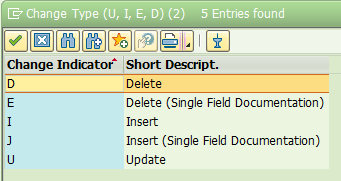
CHNGIND = D

Notes
TKNUM = Shipment Number
Keywords: SAP BW; BW; SE37; RSPC; Cadeia de Processos; RSPC_PROCESS_FINISH; RSPCPROCESSLOG
Junte-se a 970 outros assinantes
 🙂My Easy B.I.